
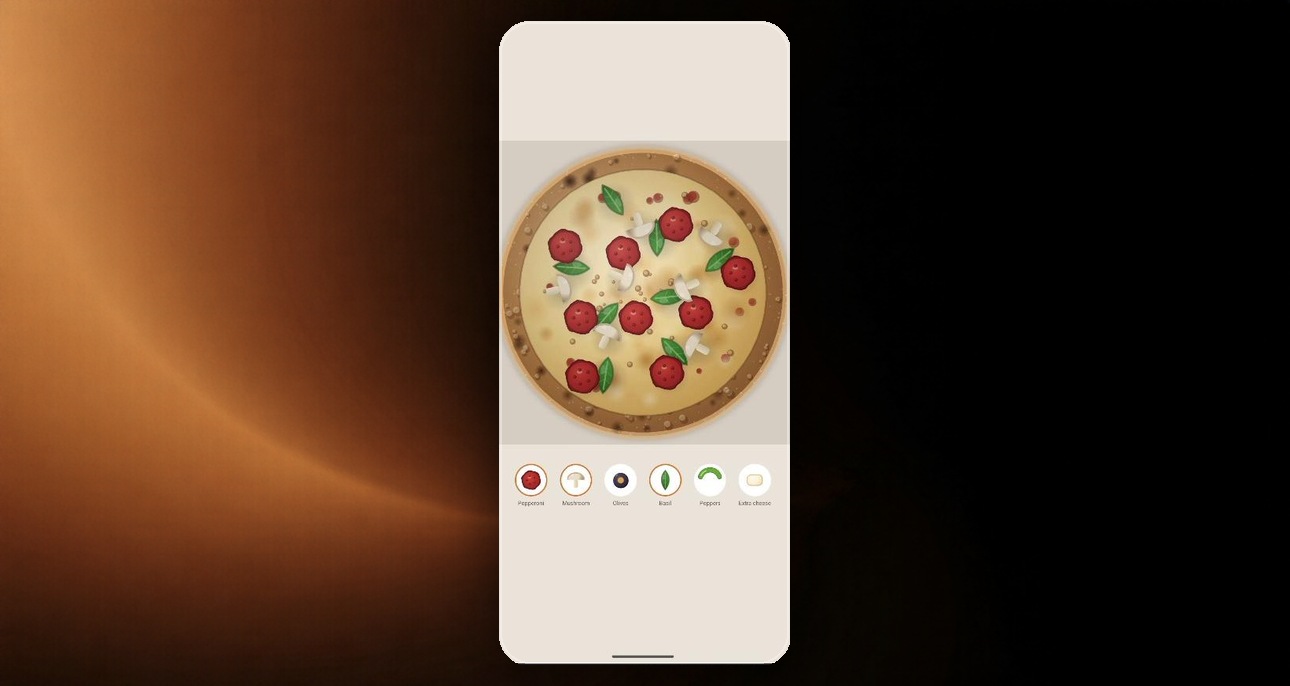
This one came out of a week spent deep in photorealistic rendering inside Jetpack Compose. The result — RealisticPizzaBase — is a fully 3D pizza-ordering UI with physics-simulated toppings, per-object animation choreography, hand-worked 3D camera math, and golden-angle spiral topping distribution. No texture assets, no Lottie, no game engine — just a 2D Canvas and math.
Most Compose devs never leave the component layer
Material3 plus built-in animations covers most product work, and that's fine — until the product needs something that doesn't exist in the kit. The moment you drop into Canvas and start thinking in draw coordinates instead of components, the limiting factor stops being "framework knowledge" and becomes math and architectural thinking.
What actually went into it
- Deterministic seeding. The base is a scatter of a few hundred soft radial-gradient blobs — dough, char, melted cheese, an oil sheen — at random positions, but seeded so the pizza looks identical on every launch. True randomness in rendering means you can't bake assets ahead of time, and your APK size pays for it.
- Hand-worked 3D camera projection, no GLSurfaceView. The pizza isn't actually 3D — it's a 2D Canvas. But toppings occlude correctly as it rotates because the camera projection algebra is worked through by hand:
vx = dot(worldPos - camPos, right),vy = dot(worldPos - camPos, up), and so on. A naive approach would just 2D-rotate the flattened image, which spins the silhouette like a clock hand instead of turning like a pizza in 3D space. - Per-object animation choreography. This is an ordering screen, not a placement game — dragging a topping out of the tray and dropping it anywhere adds the whole ingredient to the order, scattering across the entire pie on a golden-angle spiral, the way a real topping would land. Each piece gets a staggered cascade: a shadow pinned to its rest position while the piece itself lifts and eases down, which sells "falling into place" instead of "fading in." Basil leaves get 3,000ms of independent fall animations, each one reading its own timing, rotation, depth and sway off
hash01(i * prime + offset)— no two leaves move alike. - RenderEffect blur for motion blur on falling leaves (API 31+). Below API 31, the animation still renders, just unblurred — no silent no-ops. That blur is the difference between "nice animation" and "looks like a tutorial project."
The full source is on the gist linked above if you want to see the projection math and the animation timing in context.